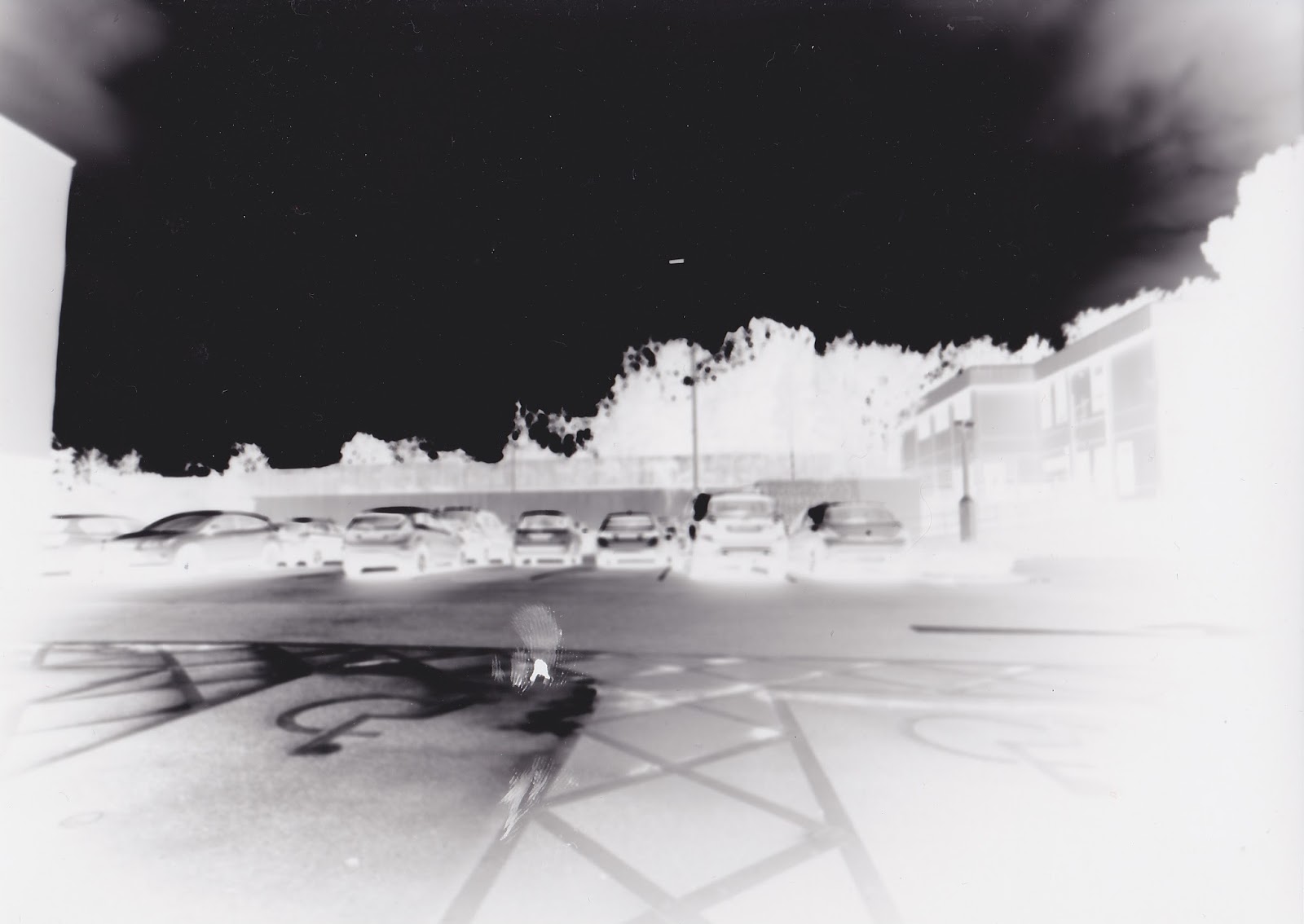
Pinhole Camera's

Materials:

  • light sensitive photographic paper
  • pinhole camera 
  • developer, fixative, stop and wash (or Ilford print developing machine)


Processes:


The process of using the pinhole camera began by first taking a pinhole camera (made from a shoe box) into the darkroom so that when I collected the light-sensitive paper and placed it inside the pinhole camera emulsion side up, the paper was not exposed to any light because the light-sensitive photographic paper does not get exposed to the red light (safe light) within the darkroom. I then went outside with the pinhole camera and experimented, trying different things to see what worked best with the greatest outcomes from the final print. I made sure that the pinhole was completely sealed shut with the black material, making sure that no light was leaking in, overexposing the paper and in theory spoiling the print. I then brought the pinhole camera back into the darkroom and put it into the print developing machine and waited for the final print to develop.


Technical Skills:

Through the process above, I learned some technical skills, which first includes the exposure times. I learned that when using the pinhole camera in a darkened environment or capturing a dark subject matter, then the light-sensitive paper should be exposed to more light meaning that it needs a longer exposure time of around 20-30 seconds. Also, it works the opposite way, with a lighter scene which means that it may not need a long exposure time and instead have a shorter exposure time of around 10 seconds. I found this out by experimenting with different environments and different kinds of lighting. The second technical skill that I learned was that when using a pinhole camera, you need to get as close to the subject matter as possible in order to achieve the best final outcomes which have distortion and obscures the subject matter that I was capturing.
My prints can be seen below, starting with my experimental prints using the pinhole camera followed by my personal best print.


REFER TO SKETCHBOOK FOR ANNOTATION

Comments

Popular posts from this blog

The Anatomy & How the Camera Works

The Anatomy Of The Camera: https://www.pinterest.co.uk/pin/338473728219110890/ The viewfinder - This is what the photographer looks through to create the image and to see what they are shooting in front of the camera. Film speed dial - This allows the photographer to change how fast the film goes past the mirror which would allow for either a longer or shorter exposure time. Shutter release - A button on the camera or anything that can be used to trigger the shutter release. Film advance lever - This allows the photographer to pull the film from within the canister, out and onto the spool. Exposure counter - This shows how many exposures have been taken and how many are left on the roll of film. Mirror - Allows the photographer to looks through the lens to see what is being captured. Pentaprism - Allows the photographer to look through the lens through a viewfinder with everything the correct way up and around. Shutter speed ring - This is the amount ...

Health, Safety & Rules of The Darkroom

The health and safety of you and of others around you should be at the forefront of any photo graphical darkroom enthusiast. Below is a list of the key points that will prevent any minor or major incidents from occurring whilst working in the darkroom. Food and drink must not be eaten or drunk inside the darkroom. The extractor fan must be turned on whenever working with any chemicals in the darkroom. If you are using any chemicals, then either tongs or gloves must be used. If your skin comes into contact with any chemicals, then make sure that this is washed immediately. If there is spillage (may it be on worktops or on the floor), make sure to clear it up immediately to prevent anyone from slipping. Do not run inside the darkroom. Darkroom chemicals must not be consumed. Do not touch or interfere with anyone else's workstations or work at any time. When you have finished using the darkroom, make sure that your workstation is tidy with no objects left under enlargers ...

Critical Analysis Of A Fellow Students Work

1.Firstly use 5 words to describe that work Landscape Monochromatic Tonal Faded Contrasting 2. Now comment on the images form This means looking at the formal elements of an artwork. What is the medium of the work? The medium of the work is digital pigment print. What kind of shapes or forms can you find? In the photograph, I see curvy, rounded, naturally formed shapes in the photograph Which techniques have they used? They have used Photoshop to digitally manipulate the photograph. What kinds of textures can you see? I can see rough and rigid textures in the photograph, However, I can also see smooth textures. 3. Finally, consider the mood and meaning of the work Mood means looking at how the artist has created a certain atmosphere or feeling. How does the work make you feel? The photograph makes me feel skeptical and overwhelmed. Why do you think you feel like this? I think I feel skeptical about the photograph because it's the not knowing how far the image real...